Archive for the 'Musings' Category

boo got shot

Posted in Humor, Musings on February 18th, 2008

Neal Boortz (boortz.com) is a nationally syndicated radio show host based out of Atlanta. Amongst many other things, he is the author and main proponent of the fair tax law movement. Those of you not familiar with this, I strongly encourage you to read through this. Well, Neal is also a funny man. A few years ago he and his crew took an interview of a local crime witness and “translated” it for the rest of us. Well, I just found this animated version of it. Enjoy:


Boo Got Shot - Animation - The most amazing videos are a click away

mental sausage

Posted in Commentary, Geekfest, Musings on February 14th, 2008

Merlin Mann might be one of the funniest, but also most insightful people ever. He recently made available the presentation he gave at MacWorld. In this brilliant presentation, he talks about how to keep our time and attention focused. He also gave me another reason to buy a domain name - mentalsausage.com.

Check out the presentation:

get better at shooting with the wheel (redux)

Posted in Commentary, Musings on February 12th, 2008

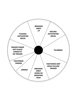
While sitting on a boring con call, I went ahead and re-did the shooting wheel into a PDF. This is a nice big sheet version of this so that you can take it to the range with you. This is a great tool to improve handgun shooting accuracy.

 Shooting Wheel

SSD’s are going enterprise

Posted in Commentary, Geekfest, Musings on January 25th, 2008

Hot on the heels of Mac announcing that there’s going to be a an SSD option to their Mac Air, comes the news that EMC is going to offer SSD’s on the Symmetrix: StorageMojo » EMC’s new flash drives. Can’t wait to see what a fully loaded all SSD Symm runs for. My guess is the GNP of Guatemala. However, it should smoke just about anything out there. Finally a good use for all those fancy 4 and 8Gb Fibre HBA’s everyone’s been buying.

macbook pro here!

Posted in Commentary, Geekfest, Musings on January 26th, 2007

First of many updates. I promise to do one on the migration process from the PowerBook to the MacBook. That’s an un-believable thing.

However, this update is on a nerd speed thing. I downloaded John the Ripper, my traditional test of speed on new computers. Just wanted to see where the new box stood. Here’s the basic results of three machines I have at home. All three of these are the output of “john –test”:

Test on a MacBook Pro (2.33GHz Core Duo):
Benchmarking: Traditional DES [128/128 BS SSE2]… DONE
Many salts: 1961K c/s real, 1976K c/s virtual
Only one salt: 1628K c/s real, 1635K c/s virtual

Benchmarking: BSDI DES (x725) [128/128 BS SSE2]… DONE
Many salts: 63846 c/s real, 64361 c/s virtual
Only one salt: 62233 c/s real, 62735 c/s virtual

Benchmarking: FreeBSD MD5 [32/32]… DONE
Raw: 6359 c/s real, 6397 c/s virtual

Benchmarking: OpenBSD Blowfish (x32) [32/32]… DONE
Raw: 388 c/s real, 391 c/s virtual

Benchmarking: Kerberos AFS DES [48/64 4K MMX]… DONE
Short: 308531 c/s real, 309770 c/s virtual
Long: 825344 c/s real, 828658 c/s virtual

Benchmarking: NT LM DES [128/128 BS SSE2]… DONE
Raw: 9090K c/s real, 9144K c/s virtual

Test on a Powerbook G4 1.6GHz:
Benchmarking: Traditional DES [128/128 BS AltiVec]… DONE
Many salts: 614247 c/s real, 785738 c/s virtual
Only one salt: 601600 c/s real, 719617 c/s virtual

Benchmarking: BSDI DES (x725) [128/128 BS AltiVec]… DONE
Many salts: 25856 c/s real, 27216 c/s virtual
Only one salt: 20403 c/s real, 26429 c/s virtual

Benchmarking: FreeBSD MD5 [32/32 X2]… DONE
Raw: 4187 c/s real, 4408 c/s virtual

Benchmarking: OpenBSD Blowfish (x32) [32/32]… DONE
Raw: 284 c/s real, 301 c/s virtual

Benchmarking: Kerberos AFS DES [24/32 4K]… DONE
Short: 110284 c/s real, 117825 c/s virtual
Long: 308889 c/s real, 325146 c/s virtual

Benchmarking: NT LM DES [128/128 BS AltiVec]… DONE
Raw: 5263K c/s real, 5551K c/s virtual

Test on PIII 800MHz “server”:
Benchmarking: Traditional DES [24/32 4K]… DONE
Many salts: 65024 c/s
Only one salt: 52434 c/s

Benchmarking: BSDI DES (x725) [24/32 4K]… DONE
Many salts: 1790 c/s
Only one salt: 1423 c/s

Benchmarking: FreeBSD MD5 [32/32]… DONE
Raw: 1450 c/s

Benchmarking: OpenBSD Blowfish (x32) [32/32]… DONE
Raw: 92.1 c/s

Benchmarking: Kerberos AFS DES [24/32 4K]… DONE
Short: 56941 c/s
Long: 130843 c/s

Benchmarking: NT LM DES [32/32 BS]… DONE
Raw: 805506 c/s

So - the basic math works out to what Apple claims. MacBook is roughly 3X speed of PowerBook. And roughly 30X the speed of the PIII server! F’ing cool.

As an aside - I remember being extremely proud of at one point around 1991 making a Sun Sparc1 workstation run the Crypt routines at roughly 1,400 crypts/second. New MacBook is … 1,400 times faster. What 15 years gets us, huh?

PC 25?

Posted in Geekfest, Musings on August 11th, 2006

It’s the PC’s 25th anniversary, or so the headlines say. I thought this would be a good time to recollect on the computers I’ve owned, still own, or lust for:

 Images Computer-Model1X3001) TRS-80 Model 1. All of 4KB of RAM in the first cut with a cassette recorders at 300 baud. Upgraded it later to 16K with a floppy disk drive. Man was it cool not to have to wait for minutes, many minutes to load my programs and games. Total cost when all told was about $3,500. Still own one. It still runs and it’s fun to type in the very first program:

10 PRINT "JUAN";
20 GOTO 10

The lightning that struck with that has never been repeated. Sheez, if I’d only known.

 Images Atari800
2) Atari 800. To be fair, I didn’t own this during it’s heyday, but I’ve since acquired one. I did program on them in middle school and even into high school. Yep, Palmetto Sr. High was very advanced. The graphics on these were amazing for their day. Hardware assisted sprites with collision detection. I spent many hours figuring out how to make silly little blobs move around the screen and bounce of off each other. Some of the games were also way before their time. Own one of these.

 Photos Uncategorized Ti994A
3) TI-99/4A. Also one that I didn’t own in it’s heyday, but I did spend a whole bunch of time on this one. The best part of these was the 16-bit processor. The clock speed and the re-interpreted, interpreted BASIC were all bummers. However, if Cosby said you should own one, by God, you know somewhere along the lines, people bought them. Also own one of these. Still works too. The best part of this is that it still amazes small children. Cool.

 Images Imagedb2 298 29845 L
4) Apple-II. Everyone knows about this one. Also another that sucked up a whole bunch of my time that I didn’t own until much, much later. Many of my friends had these, so I got to enjoy them in their prime. It was fun figuring out the 6502 assembly and diving into the early BBS scene. Oh for those 300 baud modems. It took me many years to finally get one, but it’s in the collection now. Now I only wish that I had a color monitor to show off all of those “Hi-Res” games that I have for it.

 History Osborne-1
5) Osborne 1. This one I did get. $1795 was the price. That got you two floppies (each at 80KB - awesome storage levels). 64KB of RAM and all the software you would ever need to own (MBASIC, WordStar, D-Base II, SuperCalc all on CP/M). The 5 1/2″ screen was AWESOME. I later upgraded the video display on this to the 80 column card! Man that was some dense text. Even later, I went for the ultimate upgrade and swapped out the floppy drives for the new double density drives. Man, that was nirvana. This was the first portable and at 26LBS, it got me into shape. Loved it. Still own it.

 Museum Photos Osborne Executive 3
6) Osborne Executive. The big brother of the Osborne 1. Upgraded to 7″ screen with 128KB of RAM (bank switched) and CP/M 3.0 (aka CP/M Plus). The disk drives were also the same double density drives at 180KB per drive. Never thought I’d fill that space up. I spent many, many hours learning some heavy duty stuff with this one: pascal, C (that was crap on an 8 bit system), wordprocessing for the masses (WordStar 3.0!). This is also the machine that finally got my first 1200 baud modem. That was cool. First time that the text came in faster than I could type and almost as fast as I could read. My phone bill went up!

 Photos Uncategorized Model100
7) TRS-80 Model 100. One of the first laptop computers. My mother bought one of these. I hooked it up to her car mounted cell phone in 1985 with a thermal printer so that she could send/receive TELEX messages while she was running around. This was critical for her Import/Export business at the time. I should have patented that and sold it. Crap. After a while it became mine. Still own it. The most amazing part of it all, like all of these machines is that it also still works. The keyboard on this one might just about be the most perfect laptop keyboard ever.

 Commodore-Amiga-1000 8) Amiga 1000. This is one hot, sexy machine. In 1985 it hap a fully pre-emptive multi-tasking OS. It had dedicated chips for sound, video, and in the keyboard. One of the most amazing things it did was to be able to display multiple resolution virtual screens at the same time. For example, you could create one running at 320×200 and another at “hi-res” 640×200. When one of them was running full screen, all you needed to do is move the mouse to the very top of the screen and drag that screen down. The other, lower-rez screen would show behind it. It actually changed the monitors resolution half way down the screen! Loved this one for many, many years. Still own it.

 ~Schaelss Vintage Images Mac512
9) Mac 512K. Also one of those that I didn’t own at the time, but do now. Everybody knows about these, and they were great. Ah, for those simple times. I tried to learn how to program one of these. I did not have the patience to deal with the single floppy drive systems that my friends had. Compiling anything on these was nothing short of a pain in the ass. I also always expected Borland to follow through with their promise of Turbo Pascal for the Mac. Never came to be, and the Mac dropped out of my life for a long, long time.

 Storia Img Parte3 A3000
10) Amiga 3000. This baby was the first, real affordable video editing station for the masses. With 200MB of hard disk space. I was set for life! Life! Still own it. Still have the hardware necessary to come up with some of those kicking 80’s video overlays. It still does stuff that’s hard to get on cheap computer systems even today. Those knuckle-heads at Commodore wasted a gold mine not knowing how to fight the right fight. The AmigaOS even in the 3.x series (early 1990’s), there was stuff that only recently is appearing in the Mac or Windows world: hardware assisted windowing system, hardware assisted sound generation, speech synthesis as an integral part of the OS, IP networking (I know, I know, but in the early 1990’s this was amazing), and many more things.

 Sun3-60-11Sm
11) Sun 3/60. For a while, I couldn’t afford the computers that I really wanted. Luckily, my job at Ga. Tech allowed me to work with some very cool stuff. This was the first workstation that was officially issued to me. 4MB of RAM and it ran a full UNIX with X-Windows. Man, the joy of discovery. Not sure this is a PC class thing, but I used it much like I use my current computers. So, to me, that qualifies. Wish I owned one of these. The best part of these was that I was able to run my own UNIX (Sun OS 3.x) on my own box and screw it up as much as I wanted to. That was a good thing, because at the time I had huge gaping chasms of knowledge. That naturally lead to huge flaming OS disasters.

 Jason Articles Historyofcomputers Sparcstation1
12) Sun SPARC-1. This was AWESOME. Had my own MIPS to spare. I spent almost a year porting and or re-compiling all of the Computer Science’s software repository on one of these. Sun moved their entire line from the 68030/40 line to Sparc. I cussed and I bitched, but these things were FAST for their time (12.5 MIPS!). I would love to have one of these too. I still remember feeling extreme jealousy when one of the research professors got one of these before I did. I wanted to kill for it, but the joke was on him. He couldn’t run any of the software he needed for his research until I got it ported over to the SPARC platform. Because he had pulled strings to get it before the guys in IT could get one, he had to wait. He waited longer than most.

 Data Models 100
13) PowerBook 100. After I left Ga. Tech, I ended up at a software company (Epoch Systems). They issued Powerbook laptops to all field personnel. My sales guy had the 130, but I had the PowerBook 100. Man was this thing cool for its time. I used to travel and all of the nerds in every room would crowd around to see this puppy. With all of 20MB of HD, this thing could do just about anything you would want a computer to do: modem built-in, word processing, spreadsheets, ….. I would love to have one of these beauties also.

 Pickup
14) The PC and laptops. After that PowerBook, if fell into many years of crappy PC’s and crappy PC laptops. None were very remarkable in their own stead other than I just kept moving my files from one to the next. Over the years, I’ve accreted many gigs of files that I will never look at again. But there they are, just in case. The good thing is that many of the later models (as of about 6 years ago) are still running in my home as Linux computers serving multiple purposes. This is a better fate than many of the older models got - death.

 Attached Pics Computerhistory Articles Komputerdlaresztyznas Alpowerbook17
15) PowerBook G4. The computer I’m currently using. Mac-OSX gives me the best of the UNIX, Amiga, and PC worlds all in one. Once I get a new MacBook Pro I’ll have it ALL! ALL I tell you. Have to hold out. The latest rumor is that the Merom based MacBook’s will be out in September. MUST … BE … STRONG…..

Wow. I’m a total f’ing nerd.

the (temporary) loss and a new experiment

Posted in Commentary, Fanboy, Geekfest, Musings on May 31st, 2006

Apple-Logo-1
The other day, with no warning, I was dumped into a nightmare. My PowerBook’s screen develop a nasty, pixel wide, always on purple line. A call to Apple Care confirmed it - laptop needs repair (no duh). They suggested that they send me a box to pack my laptop into and then ship it back to them and then 5-10 business days they would have it back to me. The kicker - they recommend that I back it up before I send it because “sometimes the depot finds that the hard drive is bad and they will replace it out of courtesy.” Crap. Next step - go visit the closest Apple store. Seems to me that they would be able to figure this out, order me a new display, let me go home with computer, call me when the display comes in, another quick dash, slap the new display in, run back home in joy. Nope. Apparently fixing computers requires centralization (one of Houston or Memphis). Apparently, screwdrivers and Apple stores are not allowed to co-exist in the same spatial coordinates.

So, I am not faced with a dilemma: what do I do for 5-10 business days without my laptop? Fortunately, I have a work laptop I can use. However, I refuse, refuse I tell you, to use Windows as the primary OS. So, looking around, it seemed to easy to use Fedora. I have three other machines at home running it now. Looking around I have a zillion choices of Linux and BSD distros to use. Without much scientific effort (read: a complete rectal extraction), I chose SuSE 10.1 (new shinny) to use as the base. The installation was awesomely easy. Linux has truly come a long way. The only thing not detected was my wireless. That I’m working on. Next was to try to use Evolution to connect to corporate email. Quickly, I got stymied - no CISCO VPN client available (at least to me). So, install VMWare - install winblows + sp2 + all the other crap + office + cisco vpn for windows. That gives me working access to the work stuff I need to do to pay for this computer habit of mine.

Logo Suse-2
The box from Apple Care is on it’s way. The SuSE box is ready with VMWare giving me a back line to the office. With this comes my great experiment: How do you survive Post Windows, Post Mac, into Linux in the corporate world?

Stay tuned.

Symantec Vision day3 & (something different)

Posted in Commentary, Geekfest, Musings on May 10th, 2006

26715 WAnd now for something different. Instead of attending the marginally useful sessions available in the morning, I’ve been talking to some of the exhibitors. Here’s some of them and my initial thoughts:

Index Engines

This is something very new. I have not had much time to explore this, but we have agreed to explore this much further. What these folks have is an appliance that sits in-band between the backup server and the back end tape device. They pass through the data to the device without changing it, but in the process they tear the backup stream apart and index the content of the data. In other words, they crack the packets open, index them, and put them back together again before sending them downstream to the tape device. They claim to work with NetBackup, Legato, and TSM (maybe others, but I don’t recall and won’t know for a little while). Once they have all of this indexed, it becomes searchable and “auditable” through their appliance. It’s an interesting concept, so I’ll make sure to explore this further with them. I’m concerned about scalability, index sizes (although they claim huge savings in this), and versioning issues (i.e. Legato changes OpenTape and they now become the gateway for an upgrade).

TimeSpring

This is a new CDP product that has just come out of stealth mode. They work only in a windows world, but they appear to have a pretty comprehensive solution for that space. The way they work is by inserting a small driver (splinter driver) into the kernel that splits I/O’s between the “real” storage and their device. The I/O’s that come into their device are time stamped and cataloged. What’s really interesting is that they have agents that work with Exchange, SQL server, and the file system. They claim that with these agents it not necessary to bring the database to a consistent point in time to do full recoveries. They also have the ability to do single message or mailbox restores in Exchange from these continuous captures. In other words, there is no data loss. Interesting to say the least, but, again, I am interested in seeing the scalability and their roadmap. More to follow on these guys.

Vormetric

So we all know now about encryption on the host level (filesystem, application level, column level in databases, etc.). Most of us also know about the new encryption appliances that work at the block or file level protocols (SAN/NAS/iSCSI). The big players here are Decru and NeoScale. What all of these fail to do is set a finer level of granularity of control to who sees the data. What these tools do is in essence protect against unauthorized access from users that are not authenticated by the system. For example, if we are using a Decru appliance to encrypt disk data (block level), users on the SAN that gain the ability to map LUNs will not be able to gain access to the data even if they remap the LUN to another host. The only access is through the host that has the encryption policy permissions to see the LUN in cleartext. But, that’s the where the problem lies. Anyone with root level access on that server can see ALL of the data on that device. So, the way people protect against that today is by implementing a software layer of encryption. In essence, they do dual layer encryption. One to bulk protect against LUN level access and the other at something like the column level within the database so that key information is not visible to users with root/administrator level access to the system or database. This is where Vormetric comes in. Their appliance is a combination of a software driver and an appliance that gains a finer level of granularity of access while also encrypting the information on these systems. The best way to think about this tool set is as a way to give root and administrator level users access to only the data they need in other to do their job. Things like /etc directories in UNIX or the registry in Windows. However, the sensitive application data is completely encrypted from them. However, the right users, and even the right application would have full access to the information. So, the question is now, how does this scale, how does this tie into the bulk encryption guys, and how does this work in DR/backup/etc environments. Once again, a meeting has been set with these guys to figure this one out.

ProofSpace

Speaking of security and encryption, here’s a thought: How do you prove that what was originally stored and what is stored now is the same content? Sure, you can encrypt it the way Decru and Vormetric does, but a sufficiently skilled or authorized user could change the content of the data. All that has happened is that the data is an encrypted format for non-authorized or non-skillfull attackers. How do you prove in litigation that you really are presenting the data that was originally there? Well, this little company thinks that they have an answer. They were not a presenter or even an exhibitor in the conference, but I happened to sit in a spot where they conveniently happen to migrate to. They were making their pitch to a Symantec person to see if they could include this in their technology. I was certainly intrigued and I suspect that this is going to become much, much more important shortly. Something to watch for.

Data Domain

These guys clearly had great visibility at this conference. They hosted an end-user session and had those end users clearly articulate that their message is loud and clear: simple, simple, simple. The toaster approach is working.

Copan
These folks are spending a whole lot of time re-doing their strategy. Their basic entry into the market was with their introduction of the MAID (Massive Array of Idle Disks) technology. Their basic concept is that for tier 3 storage (archival storage), there is a need for very low cost devices but with near instantaneous access. So, what they developed was a way to house a huge number of SATA disk drives (900+) in a single frame. With the current disk drive sizes, they have 3/4 of a Petabyte of storage in single rack! Their key insight was that most of this data will not be accessed so, there is little need to keep all of the drives spinning at the same time. They have some very sophisticated technology to figure out which drives are required to spin and which ones are not. Additionally, they have some disk management and exercise technology that allows them to spin up and verify disks and their long term viability. Their measured (and claimed) results from this is that the lifetime of SATA drives is expanded by a factor of four. This puts that drive technology in the ball part of reliability of the much more expensive SCSI drives. However, the cost of the drives, the cost of the power and cooling, and the cost of the management is much lower. Their initial introduction of this technology was as a VTL tape device. This didn’t work so well. The MAID stuff is cool, but so what? What’s really interesting is that they are now re-positioning themselves as a platform for long term storage technologies. They have divided their system into three levels of access. In my terms: 1) presentation/personality - SCSI/FCP, iSCSI, NFS/CIFS, VTL, etc., 2) API/Intelligence - a set of API tools that allow greater access (i.e. indexing, content aging, migration, protocol/api emulations). If and when this platform approach is deployed and a reality, this system becomes much more interesting. 750GB drives are out, 1TB drives are close, and soon even bigger drives will be available. So, if their platform is upgradable to take advantage of these higher densities and it’s also an open platform for storage, then this becomes a much more realistic thing. As with all of these, more questions remain and further investigation will need to be made.

Enough of that stuff. I did manage to attend some of the sessions today:

Enrique Salem Keynote

  • Consumer level threats
  • Consumer level technology has historically moved to the enterprise (gartner says that between 2007 and 2012 that the majority of technologies that enterprises adopt will come from consumer technologies - .8 probability in their words)
  • Consumers are loosing confidence in the online business model. Symantec is going to focus on increase the level of confidence
  • project voyager: proactive protection against phishing attacks,
  • Bit to do about project Genesis - the integration of the security and optimization tools on the desktop (norton tools)
  • Security 2.0 vision: (search protection, system security, interaction protection, transaction security, convenience, identity protection, data protection)

Intel Virtualization

  • look at virtualiron (intel says they are very excited about these guys), cassatt, swsoft, platform (all vm vendors). On a personal note they did talk about Parallels - a Mac VM company.
  • their built in VT technology allows for hypervisors like Xen to not require guest os modifications (needed to virtualize windows with Xen)
  • Evident is a chargeback software package for virtualized hardware
  • Itanium is coming out with a dual core VT enabled processor this summer. It shows “awesome performance in the lab with Xen”
  • Paul.Barr@intel.com

NetBackup Future Directions

  • cheak disk is leveraged in data protection
  • system hardware is ebing commoditized (migration to lower cost intel/ad/etc platforms, + server virtualization
  • Pervasive (cheap) networks making apps and data more accessible (changing shape of dr, critical data in remote office, web based management)
  • four key areas (unified platform, best in disk based backup, complete application ptote ction & recovery, intelligent data management platform)
  • Netbackup 6.5 1h2007, disk focus
  • what drive unified protection - geo distribution of data, multiple architectures/technologies/paradigms, multiple tools for similar tasks (prolic management and monitoring/troubleshooting)+search and restore
  • integrated protection (remote office/desktop+laptop, files and apps, hetero mix of hw)
  • Leverage purdisk integration
  • unified CDP management (instant restore and APIT restore, both software and hardware based “cdp engines”, file and block based solutions
  • web-based user and management interfaces (unified backup management & reporting, end -user search & restore - federated)
  • netbackup 6.5 will have a puredisk gateway concept (netbackup will now have a puredisk storage unit) stange NBU backups from disk to puredisk for SIS/replication, use NBU to wrote recovery tapes for puredisk clients
  • unification of reporting (NOM will handle management of data protection, CC-Service will handle business of data protection) (cc-service is NBAR on steroids - optimized for trending,planning, analytics,, designed for outbound reporting (NOM is for administrator reporting), measuring costs, assess risk and exposure, verify compliance)
  • DISK DISK DISK
  • (traditional tape, disk staging, virtual tape, snapshot, data-reduction, CDP)
  • tras - sso,vault
  • disk - sso for disk, san client, advanced client
  • vt - hardware , vto
  • snapshot , advanced client
  • data reduction, hw partners, puredisk
  • cdp - cdp for files, cdp for blocks/apps
  • stage 1 (disk improves tape backup), stage 2 (disk is the backup & recovery - data reduction, d2d, backup set, tape for archive, sso for disk), stage 3 (online recovery environment - snapshots, cdp, application dr, live data replication, zero RPO/RTO)
  • sso for disk (shared disk pool for all platforms) will also do de-dup and replicate - (allocation happens on a volume/volume basis - thing of each volume like we think of tape on SSO today) (will allow restores from a volume while other are writing to it - will leverage snapshots to do this)
  • SAN clients in a sso agent will move data through a media server to sso volumes
  • cdp - (application level you have to get a snapshot of the transaction logs) (fs you need to get a snapshot at a consistent point) (volume level - block level index store - must be mapped back to fs or application level in order to get a consistent state)
  • CDP (federate management - block based cdp, file based CDP) = the bst of backup + replication
  • application protection & recovery:
  • application support for all protection methods (must know app level stuff regardless of data movement transport)
  • granular backup and restore for key apps (beyond - hot backup
  • Application stack recovery (from bmr to oracle & exchange) (system-> data -> application)
  • support for virtual machine architectures (protection for vmware and othe VM solutions, leverage VM arch for advanced solutions)
  • (cross server snapshot for horizontal application consistency is going to be considered - was a question from the audience)
  • in esx 3.0 (snapshot of a vm is mounted on another host, backup occurs on alternate host)
  • bmr is going to be integrated with Windows PE (preinstallation environment) (gives bmr the “livestate touch”) (boot winpe from cd & run in RAM for additional speed, no multiple reboot) BMR with WinPE available in Summer with 6.0
  • intelligent data management platform:
  • federated search and restore (across puredisk, netbackup - all protection methods)
  • storage resource management, data grouping ( understand data utilization - leverage backup catalogs) (”data collections” concept - much less “server centric” view)
  • Integrated backup, archiving, and HSM (collect data once, use it for multiple purposes)
  • Data security and compliance (data encryption, compliance and data litigation support tools)
  • audit loggin and LDAP for 7.0 timeframe
  • claiming that because all data is visible, cataloging and indexing turns it into “agent less SRM”
  • will consider content based searching in addition to file-system meta-data index searching
  • 6.5 bighorn 1h2007, netbackup 7.0 1h2008= complete web based UI, complete CDP, unified search, much more
  • puredisk 6.1 agents for db, pd 6.5 enterprise edition (at same time as nbu 6.5), puredisk 6.6 dekstop/laptop = 2h 2007, 7.0 nbu integrated management reporting, search/restore agents (nbu 7.0 time frame)
  • 6.5 = the disk backup release (sso for disk, advanced disk staging (create sla’s for backups, delete from disk pool by data importance -not age, retention guarantees), netbackup puredisk integration, san client, snapshot client (adv client - for all tier 1 disk), vtl-to-tape (api for VTL to dup to tape - VTL does data movement)
  • Unified backup management (nom + cc-service), lots more agent & platform support (all in 6.5)

The presenter, Rick Huebsch, did not talk about NBU and Microsoft, so I approached him. His comment was “Vista and all that will be in 6.5.” He did acknowledge that his lack of MS material was conspicuous not because there wasn’t a future in it, but because he didn’t talk about it. I fully believe that all the “right” MS things will be done with NetBackup. But, we’ll keep an eye on that.

Some more thoughts:

101396524 011Efbdf7CThe theme of the show was clearly focused around the Symantec core strengths. They did not minimize the importance of the Veritas enterprise products, but they sure did emphasize the end-user and mid-range products (think Norton product lines, think Backup-Exec). I’m not sure that this indicates a shift in priorities but it is clearly something to watch. The “feel” of this Vision was much different than last years. Last year’s keynotes were much more enterprise focused. This years’ spoke of enterprise, but from the aspect of Windows and Security. The storage elements of the Veritas product lines were not the centerpiece. I wonder if Symantec should not have different days or a different session where they speak of this technology. It’s probably me being old fashioned (in the way a 10 year old industry can be old fashioned), but the storage stuff is just as hard and it’s getting harder. The bulk of the customers I saw were coming to see this space, not the Super Norton 3000++. The partner show was almost exclusively storage centric. There were are few policy engine type of people, Intel, and Dell - but that’s it. Weird.

Remember that my thoughts are phrenological in accuracy.

the right answer

Posted in Commentary, Geekfest, Musings on April 6th, 2006

So, the first person to announce the right answer is….. parallels. Real virtualization for the Intel Macs. BootCamp is an answer, but it doesn’t let you do the real thing - keep the right os running while you jump to play with the not so good one. Now all I need is for the the 17″ dual chip / quad core MacBook Pro to come out. Then me, my bank account, and my mouse will fly to apple.com as fast as possible.

Come on, MacBook Pro 17″ dual chip/ quad core/200GB hd/.,….. Come on!!!!

video of my shoulder surgery

Posted in Commentary, Musings on April 3rd, 2006

This is cool (and it hurt like a mother)..